Using Social Media to Promote Events

Social Media tools are great for building awareness of what you do, for reaching and connecting with new audiences, for building and maintaining your networks and for driving targeted traffic to your website.  Social networks are communities of people that connect and communicate online based on something they have in common.  It makes sense therefore that social media tools can help you to promote events such as seminars, networking opportunities, concerts and sales.

You can use social media to promote practically any event but doing so takes time and effort.  Here are a few pointers to bear in mind that will increase the likelihood of your success in using these tools to sell out your event.

Target Your Audience

Don’t try to submit your event to each and every event site  out there, instead choose sites that are targeted to attract the desired audience.  For example, if your event is in Vancouver and use Vancouver events site.  If your event is a social one then post it on a “social” network like Facebook but if it is aimed at professionals, then LinkedIn will be a good tool to reach your target audience.  If your event is aimed at the tech community then check out Techvibes but if its music oriented then Oscillations might be a better choice.  The point here is that like any other marketing or promotional effort, online events promotion should be very specifically targeted to your intended audience.

High Ranking Events Sites

Only list on events sites with a page rank of 4 or higher.  The higher the ranking the better from a search engine optimization perspective and the more likely your audience will be to actually find your event.  A great multi purpose events site is with a high ranking is MeetUp - with a page rank of 7.  It is better to submit to a few sites that get tonnes of traffic than to submit to lots of sites that hardly get any visitors.

Submit Events Consistently

If you start using social media to promote events then you should be prepared to do so consistently.  Choose 5 -10 highly targeted events sites with a high page rank and submit all of your events to these sites and do so regularly.  You will begin to build a following in these forums and the last thing you want to do is to annoy them with intermittent and inconsistent listings.

Events promotion lends itself well to social media because the inherent nature of an event is social.  If you follow the 3 tips above, not only will you drive more awareness of your events but you will also be able to tap into the nature of social communities.  If people enjoy your events they will be more likely to suggest them to others in their online communities and so the buzz will build.

Concerned about Facebook Privacy?

Privacy and Social Networking

An article in today’s Vancouver Sun raises the Facebook privacy issue again: the article discusses the increase in bogus online identities and points out that many business individuals are steering clear of Facebook as a result.

Every time Facebook makes changes, like those we mentioned in yesterday’s blog post, the inevitable wave of hysteria follows.  Whilst privacy is undoubtedly an issue, it shouldn’t be a reason to avoid social networks completely.  Given that 400 million people (and counting) use Facebook, if you are in a professional role where building your network is part of what you do, then it is simply foolish to ignore Facebook completely.

How To Mitigate Facebook Privacy Concerns

Privacy is indeed a concern, as is identity theft, but if you take a few simple precautions when social networking you can really help limit the risk of these eventualities actually transpiring.  What better a time then to review some simply steps you can take to mitigate  these concerns:

1. Use the privacy settings (in Facebook click on settings at the top right hand side of your screen then privacy) to make sure that your personal information such as date of birth, home address, email etc are not there for all the world to see – don’t want to encourage identity thieves or spammers do we?

2. Off the Wall – don’t use people’s wall to communicate personal information or communications. If it is longer than a couple of sentences take it to Facebook email.

Duckhunt

3. Remember that the first thing recruiters do these days is to check out candidates on Facebook. If you intend on ever applying for another job you should be cognizant of this.   Boasting about your drinking prowess to the world will not land you that coveted job. Always do the granny test, be careful of what you post and again use the privacy settings accordingly.

4. Be authentic – upload a profile picture so that people can see that its really you – or what you look like after all these years, as the case may be.

5. Be selective about who you add and which pages you like. Don’t add every TD&H who invites you and remember what mother said about strangers! Seriously though, being selective about who you connect with gives you more control if safety is a concern: this is not about quantity – it is about quality.

6. Never Buy Friends or Followers – never use sites that promise you thousands of new followers or views.  There is always a catch.  (Thanks to the a forementioned Sun article for that one!).

7. Be respectful and don’t use profanities too much – you never know when someone’s kid is watching over there shoulder (take it from me – this happens a lot!).

8. Be true to who you are. Transparency is key to effective social media participation. Don’t try to present yourself as something or someone you are not. Imagine how embarrassing it will be when someone crawls out of the woodwork and points out the truth – to everyone.

9. Say It - If it is not worth saying out loud, it is not worth saying on line.  This is a good mantra to bear in mind when considering your status updates.

10. Block Em – If someone is rude to you in comments or on your wall, you can block them. Again go to settings, privacy and scroll down to Block List to do so.

11. Applications – you should be aware that most of the games and applications on Facebook are from third party companies you know nothing about and are often set up for the simple purpose of collecting you marketing info. Once you add the application, they have access to your information. Be wary of which applications you add and again use the privacy settings to control this.

Thanks to Tailor Ransom for the great Flickr image!

Facebook Updates – May 2010

Facebook is changing – again.  Here is a resume of recent Facebook changes – to keep you abreast of the latest developments with the popular social network.

Facebook Fans

Alas, Facebook Fans are no more. You can no longer become a “Fan” of a Facebook Page but you can “Like” one.  Instead of the “Become a Fan” button you now click its replacement, the “Like” button if you like a Page and want to tell the world.

Overall functionality remains the same and apart from the wording,  the only difference is that you will see a breakdown of which of your friends “Like” a page as well as the overall “Like” count. Apparently people are more likely to “Like” something than become a “Fan” of it.

There has been some controversy over the fact that your profile image appears in the “Like” section of a Page without consent so perhaps people will be less likely to “Like” than to “Fan” after all – only time will tell.

Facebook Events

Facebook this week announced that it was making it easier to post events. You will still be able to create events as before by clicking on the tab on the right hand of your profile but in addition to this you will be able to quickly create events on the right hand side panel too.  To do so, click on “What are you planning” on the “Events” panel on the right to quickly begin entering information about your event and to invite your friends.

Facebook Insights

Facebook Analytics

Facebook Insights allow you to track the effectiveness of your Facebook page. If you have a Page already, you might have noticed that a few weeks back you started getting a weekly email “Your Weekly Facebook Page Update”  informing you the number of fans, wall posts and visits to your page.  Click on the link to view the the data in more detail.  You can also do this in Facebook by going to any page you manage and clicking “insights” (below information on the left hand side panel).  You can view graphs showing interactions,posts, reviews and so on as well as gaining valuable analytics on demographics such as sex and geography.

This is perhaps the most important change to Facebook recently as it allows you to determine whether your page is effective and to allow you to ascertain what can be done to improve it.  You can even export the data to CSV for further analysis if you so choose.

Related posts:
Recent Facebook Changes

Reasons To Be Cheerful – Spring 2010

Here is our compendium of useful websites and online tools that have tweaked our interest recently:

Hustream – the concept of being able to easily create interactive video for your website is huge. This is one to keep an eye on

Free Rank Checker – check out how your website ranks against competitors for free.

Sendible – a tool to facilitate social media engagement.

800notes – Reverse look up for all those annoying 1800 calls.

Aviary – online image editor.

A seemingly endless list of social media case studies.

An easy and quick way to discover the host of a web site.

Need to share or send a large file? Try RapidShare.

Out-Smarts, Reasons To Be Cheerful

Building Trust in The Digital World

Last week I discussed “Building Trust in the Digital World” with guests and members of SMEI. Attached, incase you missed the event, is a video clip of my presentation (thanks to SMEI for that!) along with accompanying slides.

This was the first in a series of 3 discussions.  The next will feature Rob Duncan leading the discussion on the topic: Your Customer Has Moved – do you know where they “live”?

Using Social Media To Build Your Personal Brand Online

I regularly contribute blog posts on social media to the Entreprenuerial Woman Magazine – here is the latest one on using social media to build your personal brand.

Personal Branding

The concept of personal branding has had a lot of coverage in these difficult economic times as people look to market themselves more effectively in order to stimulate their careers. Personal branding is, in essence, a means to package yourself in such a way as to present a particular image for career purposes. It is the way you market yourself to your peers and prospects.

The idea of having a professional image is not a new one – uniforms have been standard for many occupations for centuries. The difference with personal branding is that the concept is not to make you look like one of the crowd, but rather to make you stand out from it.

When considering your personal brand you should look at many factors: the way you speak, the way you look, the car your drive, your education, and your character, but the single most important aspect to consider when building your brand is that it has to be real. It has to reflect the real you. A personal brand that portrays a false image will be apparent to everyone you come into contact with and will do more harm than good.

Identify the unique aspects of your personality, skills and experience and use those to make “you” stand out from the crowd. By building on a personal brand that it true to you, your efforts will be more rewarded and your image will be more realistic and authentic.

Using social media is an ideal way to build your personal brand, to expand and reinforce your network, but there are risks that you should be aware of.

Tips For Building Your Personal Brand Online

Here are some tips that will help you take advantage of social media to build your brand safely:

1. When networking on Facebook or other social forums always use the privacy controls to limit access to your information (usually you can find these by clicking on “account”).

2. Use Facebook, LinkedIn and other networks to make people aware of what you do or want to do. Highlight your unique experiences in these forums

3. Google yourself or use Pipl to see what’s being said about you and do the Granny test on the results – if Granny wouldn’t approve then perhaps the content isn’t appropriate to enhance your business profile.

4. Use your profiles in these forums to present an appropriate professional image. Include a good headshot that is authentic and don’t post any photos, videos or images that compromise your image.

5. Portray yourself professionally (as appropriate to your industry) in all forums.

6. Be true to who you are: transparency leads to trust – if you have a good reputation people are more likely to do business with you.

7. Remember that you have a valid and unique opinion. Don’t be afraid to voice it.

8. Always be respectful of others. It is okay to disagree but be polite about it.

9. If you are young and looking for a job be aware that a party boy or girl image may seem cool to your peers but it won’t help you get a job or grow your professional network.

10. Online networking is a vital tool for anyone trying to build a career but don’t get sidetracked or sucked in. Avoid this by scheduling time for online networking and sticking to it.

11. Don’t make friends with everyone and anyone. Be selective. It will help you manage the volume of information and will also expose you to less risk.

Personal branding is being used more and more to help people highlight their professional attributes and experience, grow and enhance their networks, build business and to find new careers. In our next post on this subject we will look more closely at which social media tools to use and how to use them to do this effectively.

The Future of Digital Advertising – iAds and Promoted Tweets

It has been a big week for online advertising with announcements at the inaugural Twitter conference, Chirp, that Twitter is finally about to monetize its micro blog service by adding ad functionality and the announcement from Apple last week that it was going to introduce a mobile advertising platform called iAd.

Twitter Promoted Tweets

According to the Twitter blog, promoted Tweets are ordinary Tweets that businesses and organizations want to highlight to a wider group of users.  Twitter will begin to roll out the Promoted Tweets platform in partnership with some of its big advertising partners like Starbucks.

Right now these promoted Tweets are limited to specific searches, for example if you search for “Starbucks” on Twitter today you will see the following:

Reaction to the announcement has been mixed, many recognized that Twitter had to do something like this in order to grow revenues others resent the move seeing it as invasive.

iAd Mobile Advertising

Apple’s hugely successful iPhone  is becoming more open from a developers perspective making it easier for third parties and app developers to make money. A component of iPhone OS4 released last week, iAd is Apple’s  mobile advertising platform.  It will feature rich media ads which, according to Apple, are aimed at stimulating emotion and interaction.  For advertisers, iAd gives them a new way to reach consumers a highly targeted fashion.  Mobile advertising is nothing new but it is the first time Apple has openly embraced the model.

Google owns the digital advertising market and only time will tell whether Twitter or Apple will make a significant impact with their new offerings.  From a marketing perspective these innovations give us new ways to reach our audiences in a highly targeted way which can only be a good thing.

Related Articles:

The Future of Advertising

Protect Your Online Content

Worried that your good work could be plagiarized or that someone’s going to steal your thunder on the Internet and not reference your writing appropriately? There’s a solution to every problem and this one comes in the form of Creative Commons. An offshoot of a US non profit organization , Creative Commons was founded in 2003 with the help of the University of Ottawa Law and Technology Program and theCanadian Internet Policy and Public Interest Clinic.

The service allows you to license your work easily and at no cost. With various different license offerings based on how much freedom you want to give people to use your writing and in which forums, Creative Commons steps you through an easy process to find the right license and then you simply download some HTML to your web-site and your covered like so:


Creative Commons License

This work is licensed under a
Creative Commons Attribution-Share Alike 2.5 Canada License

People using the works are then morally and legally obliged to use them accordingly (or not at all if you so choose). Whether or not people act appropriately remains to be seen and there’s also the issue of the global reach of the Internet with different laws governing different jurisdictions but if this plagiarism is a concern for you then Creative Commons is definitely a step in the right direction to protecting your work.

Easy Ways To Improve Your Ranking

Search Engine Optimisation

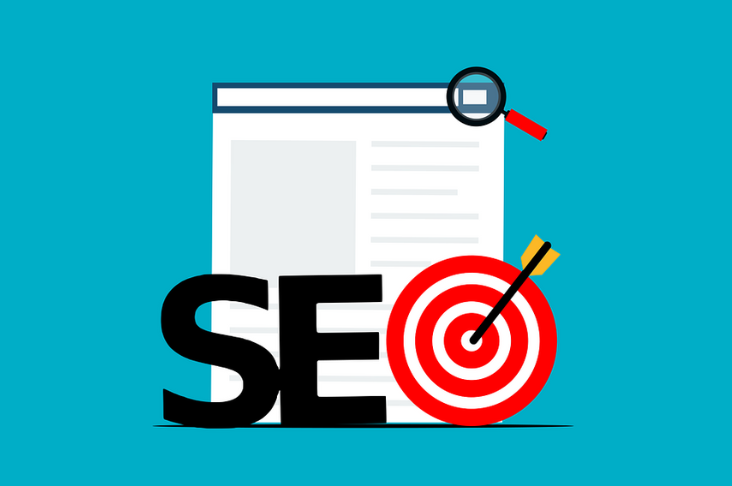
Search Engine Optimisation is a must if you want to make sure your intended audience finds your website but it can be time consuming and technical – patience is invariably required and it is usually best to employ an expert to help.  There are, however, some things that you can do to improve your website ranking that are easy to do and don’t require the assistance of an SEO specialist.

Easy Ways To Improve Your Ranking

1. Update your site regularly – this may seem obvious but many corporate sites rarely change.  Search engines like sites that change often so by updating your site frequently you can improve your ranking .

2.In case you haven’t done so, remember to submit your site to Google and other search engines  to help them find and crawl your site.

3. Post video to YouTube -  posting a video on YouTube and linking it back to your site has the added benefit of building really valuable links to your site.

4. Add a podcast – our traffic peaks every time we podcast and by submitting the podcast to top pod sites, the effect ripples. Coincidence? I think not.

5. Label your images – most sites don’t bother but this is viable real estate on your site, use it. Image titles should relate back to your keywords and offering for maximum impact.

6. Use Google’s webmaster tools – make sure your site is crawled regularly, submit your sitemap and identify any problems so that you can fix them.  If you can’t work out how submit your sitemap do it page by page in Google.

7. Get bookmarks – book marks build links and the more you have the better. Hit on employees, partners and colleagues to bookmark your site.  Good sites include Digg,  or Stumble Upon.

8. Comment regularly on relevant high traffic blogs and always remember to insert your url correctly.

9. Spend some time developing a keyword map for your products and services so as to identify the most effective words to use and those to avoid. Content on your web site is key to helping the search engines understand what your site is all about.  When considering content, remember to put yourself in the shoes of your audience.

10. Use bold and headings to identify key terms in your text.

11. This one should be first on the list but it seems so obvious I almost left it out. Use a website traffic tool like Google Analytics to measure traffic to your site.  If you don’t then how will you know which of the above is working.

If you don’t have time for SEO yourself, remember, it is one of the services we provide.  We’d love to talk to you about your SEO goals.

rank

Thanks to a2d on Flickr for the image!

How To Customize Your Facebook Page

As the Facebook population grows, more and more businesses are using Facebook Pages to promote their business in this forum and to reach out and connect with fans there.

Your Facebook page may be the first contact a prospect has with you and it is important to stand out from the crowd. One way to do this is by customizing your Facebook page to include tabs that go beyond the basic “Wall” and “Info” tabs in the vanilla page set up. Once you have created these new tabs you can customize each page.  Here’s how:

Customize Your Facebook Page

First thing you need to do is add the Facebook Mark Up Language to your Page.  To do this, Facebook search “FBML” find the FMBL application and click to add it to your site.

Once you have added this, go to your Page and click edit.  Under “Applications” you will see FBML.  Click to edit to add a new tab.

The box title shows “FBML”, edit this to show the title you want to appear on the tab on your page. Click to save.   The new tab will now appear on your Facebook page.

To edit and add content to the page click to edit your page again and click to edit on  the pertinent FBML application you just created.  Finally,  add the code you want to appear on the page.

The easiest way to generate the code is to use a CMS editor.  I used WordPress to generate the code for the connect tab content I created on the Out-Smarts Page.

To add images to your new tab page, upload them to WordPress and use the hyperlink functionality if you want to link the image to an external page (exactly like you would if you were uploading and linking an image to a blog post).

Once you are happy with the content, copy and paste the HTML code into your FBML window.   To find this click on applications then edit as before.

Click to complete and save.  Go back to your Facebook page and voila, you will have a new tab there and if you click on the tab the content you created in WordPress will appear there.